0
My Cart₹0
No products in the cart.
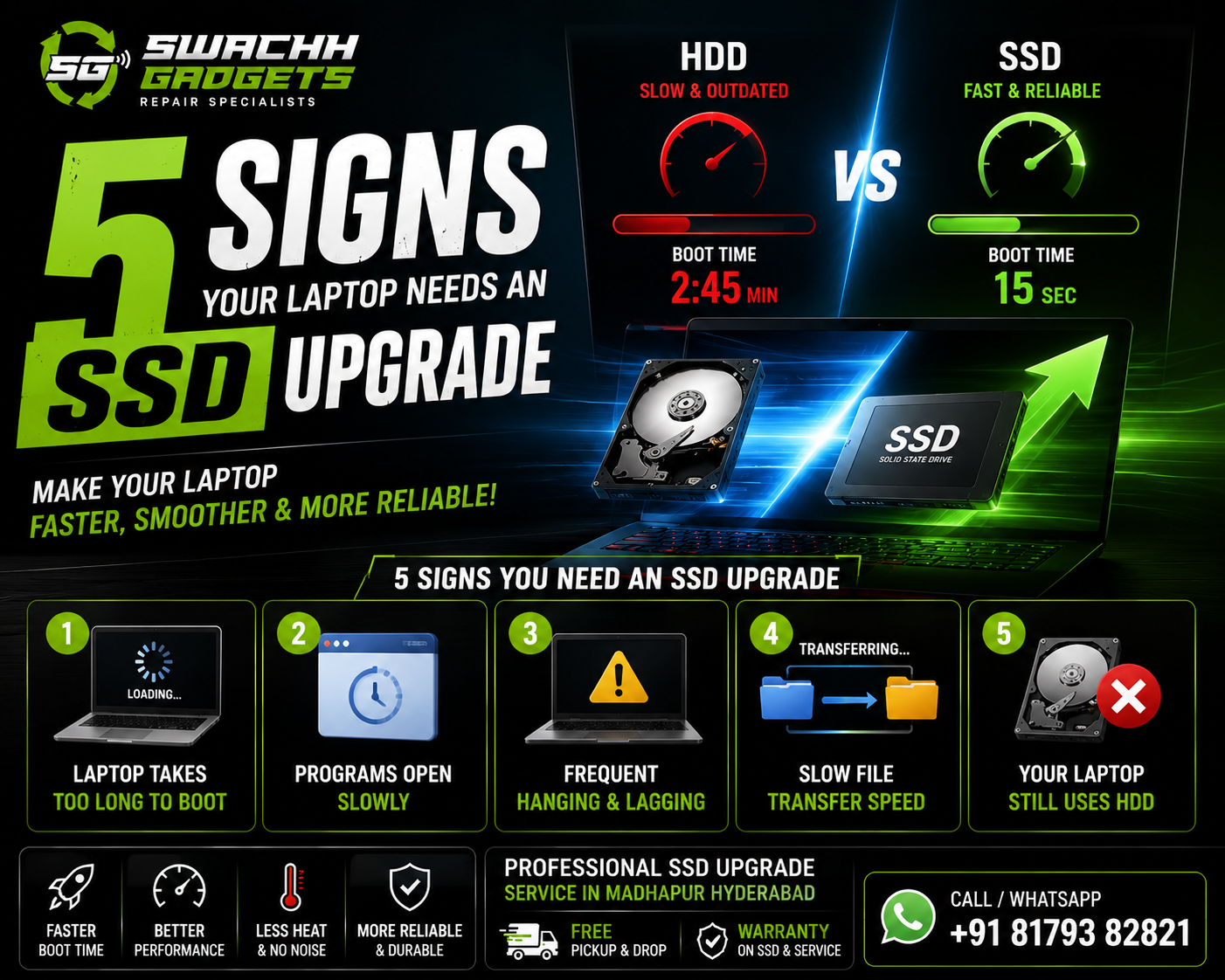
Is your laptop becoming slow, laggy, or taking forever to boot? Many users continue struggling with poor laptop performance without realizing that the old hard drive (HDD) is often the main reason.
Upgrading from HDD to SSD is one of the best ways to improve laptop speed, responsiveness, and overall performance without replacing the entire laptop.
At Swachh Gadgets, we provide professional SSD upgrade services in Madhapur Hyderabad for Dell, HP, Lenovo, ASUS, Acer, and MacBook laptops.
In this guide, we explain the top signs your laptop needs an SSD upgrade and how SSD improves laptop performance significantly.
Traditional hard drives (HDDs) use moving mechanical parts, which makes them slower and more prone to wear over time.
SSD (Solid State Drive) technology is:
An SSD upgrade can dramatically improve:
One of the biggest signs your laptop needs an SSD upgrade is slow startup time.
If your laptop:
your old HDD may be slowing the system down.
Typical boot time comparison:
| Storage Type | Boot Time |
|---|---|
| HDD | 2–5 Minutes |
| SSD | 10–20 Seconds |
SSD upgrades make laptops feel significantly faster immediately after installation.
Do applications take too long to open?
Common symptoms include:
Older hard drives struggle to handle modern software efficiently.
An SSD upgrade improves application loading speed and overall responsiveness.
If your laptop frequently:
the hard drive may be the performance bottleneck.
This is especially common during:
SSD upgrades improve data access speed and reduce system lag significantly.
Old hard drives copy files much slower compared to SSDs.
Common signs include:
SSD storage dramatically improves read and write speeds.
Many older laptops still use traditional HDD storage.
If your laptop still has:
switching to SSD can provide one of the biggest performance upgrades possible.
Even older laptops become significantly faster after SSD installation.
SSD drastically reduces startup time.
Programs load faster and multitasking becomes smoother.
Games load faster with reduced lag and better responsiveness.
SSDs generate less heat compared to HDDs.
Unlike HDDs, SSDs have no moving parts and operate silently.
SSD storage consumes less power and may improve battery efficiency.
At Swachh Gadgets, we provide SSD upgrade services for:
Many users buy new laptops because their old laptop feels slow.
However, upgrading to SSD can often:
For many users, SSD upgrade is a smarter and more affordable option than buying a new laptop.
Swachh Gadgets provides professional SSD upgrade services in Madhapur Hyderabad with:
We provide upgrade services for students, gamers, office professionals, and business users.
Professional SSD installation and laptop upgrade support.
Safe data migration from old HDD to new SSD.
Most SSD upgrades can be completed quickly.
Available across:
We provide reliable SSD upgrade solutions for different budgets and performance needs.
Yes, SSD upgrades significantly improve startup speed, application loading, and overall system responsiveness.
Most laptops can be upgraded to SSD depending on compatibility and hardware support.
No, data migration can usually be performed safely during SSD upgrade.
Most SSD upgrades can be completed within a few hours depending on laptop model and data transfer size.
SSD is faster, quieter, more reliable, and more energy efficient compared to HDD.
If your laptop is becoming slow or unresponsive, Swachh Gadgets provides professional SSD upgrade services in Madhapur Hyderabad for all major laptop brands.
Visit our service center near Hitech City Metro or contact us for free pickup & delivery support.
Madhapur • Hitech City • Gachibowli • Kondapur • Financial District • Hyderabad
SSD Upgrade • RAM Upgrade • Windows Installation • Laptop Speed Optimization • Gaming Laptop Upgrade • Data Transfer Service