0
My Cart₹0
No products in the cart.

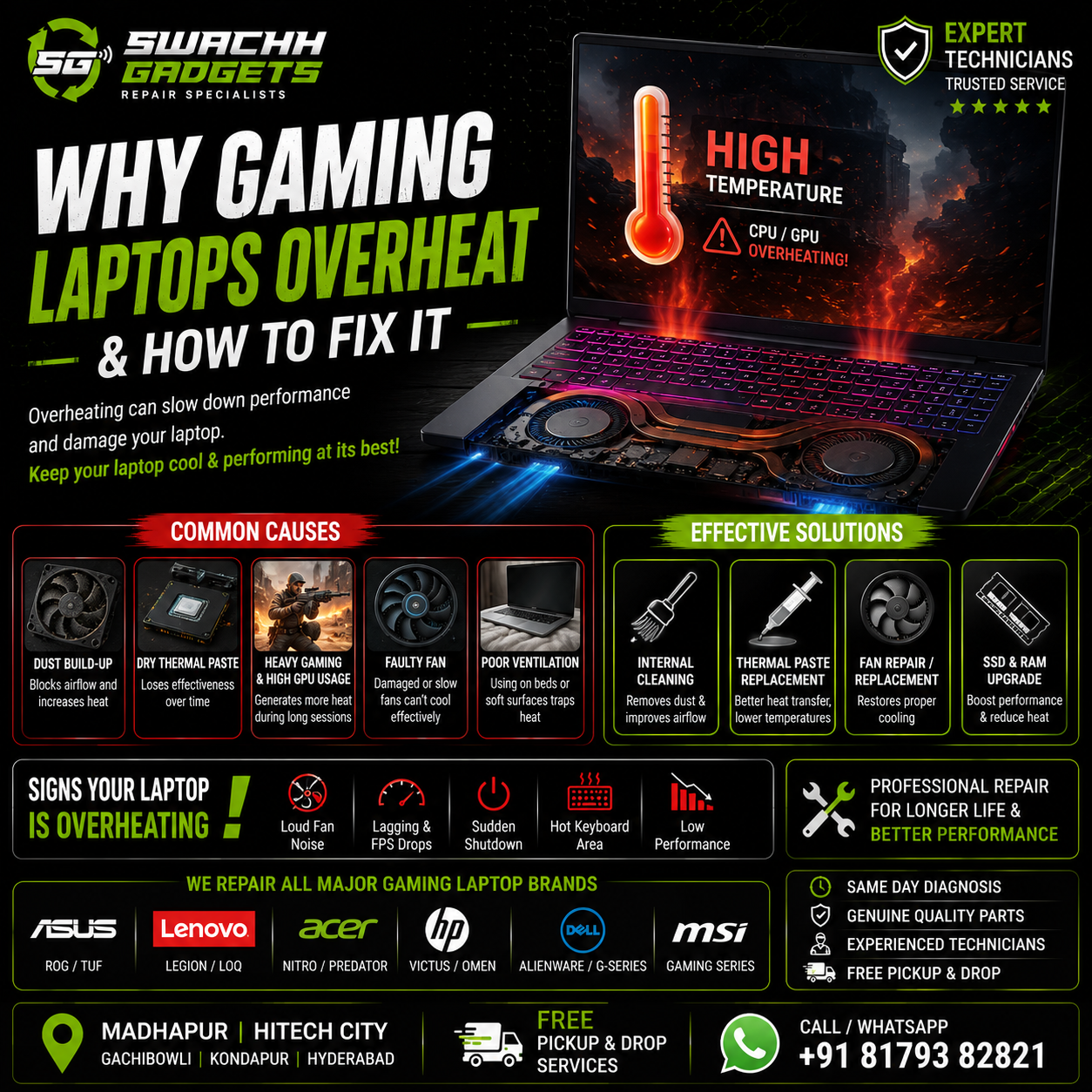
Gaming laptops are designed for high performance, but they also generate a significant amount of heat during gaming, video editing, rendering, programming, and multitasking. If not maintained properly, overheating can reduce laptop performance, damage internal components, and even cause motherboard failure over time.
At Swachh Gadgets, we regularly repair overheating gaming laptops in Madhapur Hyderabad including ASUS ROG, ASUS TUF Gaming, Lenovo Legion, Acer Nitro, HP Victus, MSI, and Alienware laptops.
In this guide, we explain the common causes of gaming laptop overheating, warning signs, and the best solutions to keep your laptop running smoothly.
Gaming laptops use powerful CPUs and GPUs inside compact bodies, which naturally generate heat. However, excessive overheating usually happens due to additional issues.
Dust accumulation inside cooling vents and fans is one of the most common reasons for overheating.
Over time:
This causes:
Regular internal cleaning helps maintain proper cooling.
Thermal paste helps transfer heat from the processor and GPU to the cooling system.
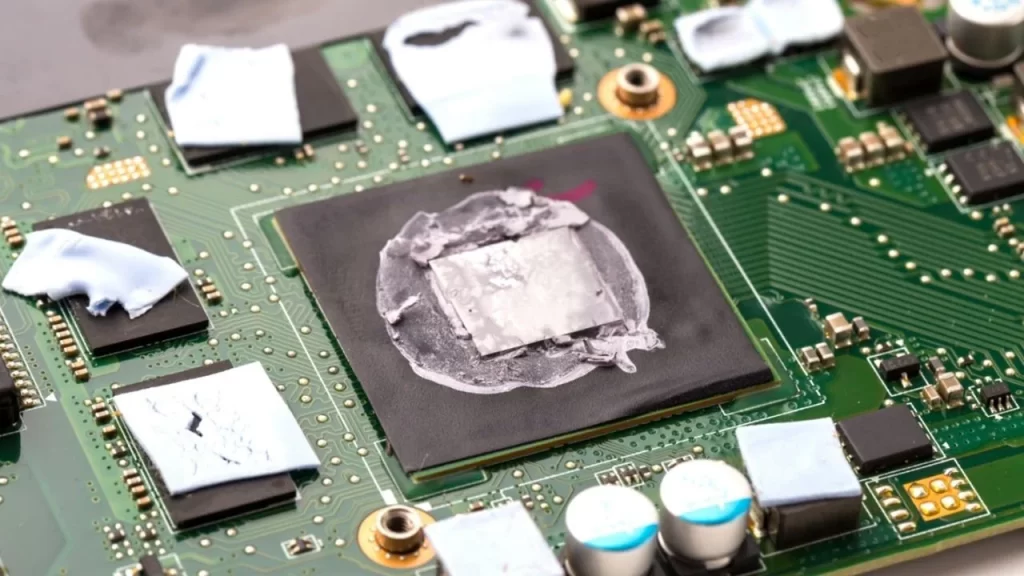
After long usage, thermal paste may:
Replacing thermal paste significantly improves cooling performance.
Modern games use intensive graphics processing, which puts pressure on:
Extended gaming sessions without proper cooling can cause thermal throttling and overheating.
If the cooling fan stops functioning properly, heat cannot escape efficiently.
Common fan problems include:
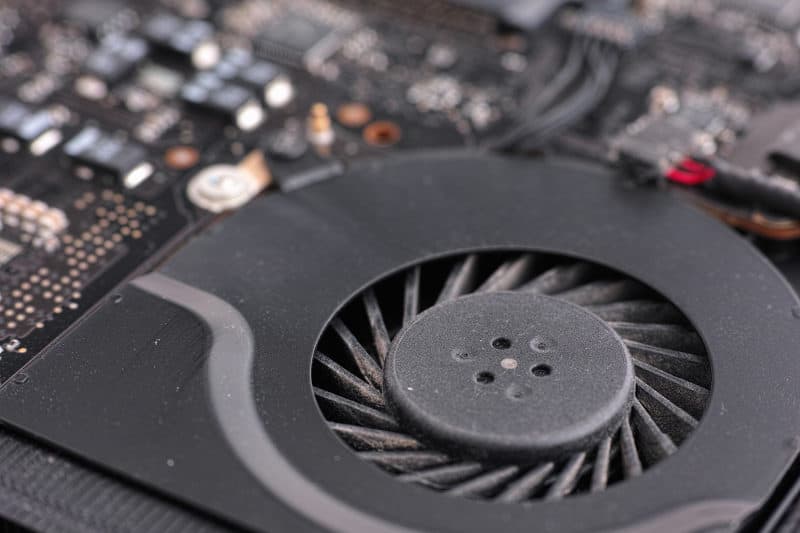
Fan replacement may be necessary in such cases.
Using gaming laptops on:
blocks airflow and traps heat inside the laptop.
Always place laptops on flat hard surfaces for better airflow.
Many users ignore early overheating symptoms until performance becomes severely affected.
If these symptoms continue regularly, professional diagnosis is recommended.
Professional internal cleaning removes:
This improves airflow and cooling performance.
Replacing old thermal paste helps:
High-performance gaming laptops especially benefit from thermal repasting.
Damaged or noisy fans should be repaired or replaced to restore proper cooling.
Older HDD-based laptops generate additional heat and slow performance.
SSD upgrades:
Insufficient RAM can overload the system during gaming and multitasking.
RAM upgrades improve:
Some heating issues indicate deeper hardware problems.
You should seek professional repair if:
Ignoring these signs may lead to motherboard damage.
At Swachh Gadgets, we repair gaming laptops from major brands including:
Swachh Gadgets provides professional gaming laptop repair services in Madhapur Hyderabad with advanced diagnostics and motherboard-level repair support.
We provide:
We also provide free pickup & delivery support across:
Our technicians handle advanced gaming laptop repairs carefully using professional diagnostic tools.
We use reliable compatible cooling fans, SSDs, RAM, and replacement parts.
Most overheating issues can be diagnosed quickly.
Convenient pickup and delivery support across Madhapur and nearby areas.
Gaming laptops generate high heat due to intensive CPU and GPU usage. Dust buildup, dry thermal paste, and poor airflow are common causes.
Yes, replacing old thermal paste can significantly reduce CPU and GPU temperature.
Yes, prolonged overheating can damage motherboard components and reduce laptop lifespan.
Cooling pads can improve airflow slightly, but internal cleaning and thermal servicing are more effective.
Heavy gaming users should ideally clean and service laptops every 6–12 months.
If your gaming laptop is overheating, lagging, or shutting down unexpectedly, Swachh Gadgets provides professional gaming laptop repair services in Madhapur Hyderabad.
Visit our service center near Hitech City Metro or contact us for free pickup & delivery support.
Madhapur • Hitech City • Gachibowli • Kondapur • Financial District • Hyderabad
Gaming Laptop Repair • Thermal Paste Replacement • SSD Upgrade • Fan Replacement • Motherboard Repair • ASUS ROG Repair • Lenovo Legion Repair